YouTube TV: Live TV & more
- 3.5
- Rating
- 10.00M
- Installs
- Free
- Price

 Analysis by App-foxy
I spent time with YouTube TV: Live TV & more as an entertainment app, and my impression is that it makes the most sense for people who want live television gathered in one place rather than a collection of on-demand shows. Its appeal is straightforward: the service presents live news, sports, and shows from more than one hundred channels, while keeping the viewing experience familiar to anyone already comfortable with Google’s video ecosystem.
That simplicity is also the key to judging it fairly. This is not just another free video app, and it is not best understood as a replacement for every streaming service. The app is free to install, but the practical value of live television depends on the access arrangement available to you. I would not confuse a free download with unlimited free access to every channel. That distinction matters more here than the download button suggests.
How YouTube TV fits into everyday viewing
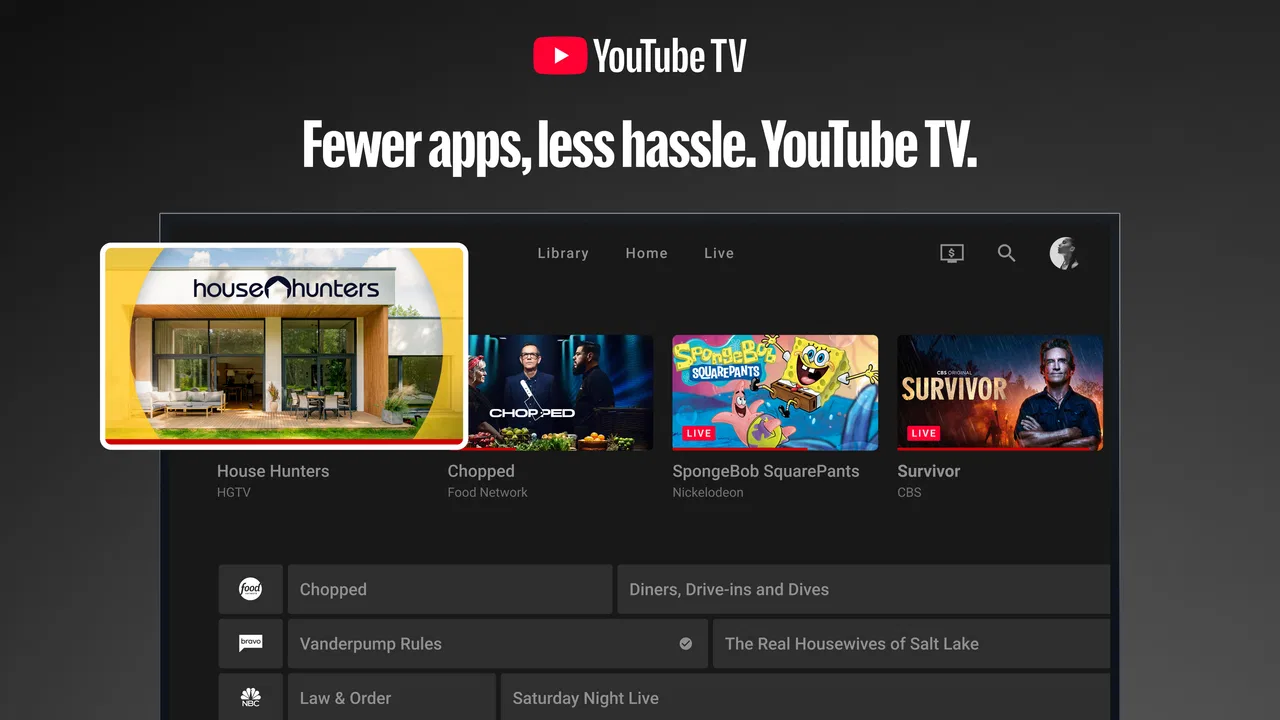
Developed by Google LLC, the app sits in the entertainment category and is aimed at viewers who still enjoy the rhythm of scheduled television. Instead of opening separate apps for a news channel, a sports broadcast, and a general entertainment program, I can use one interface designed around live viewing. That makes it particularly appealing when I want to turn on the television and browse what is happening now, rather than spend several minutes deciding what to stream.
You May Also Like

 Blood Strike: 2.5 Anniversary
Blood Strike’s Loadouts Turn Every Drop Into a Tactical Gamble
A close look at Blood Strike’s custom loadouts: how fast access to signature weapons reshapes its battle royale rhythm, rewards preparation, and narrows the gap between fights.

 Pandora - Music & Podcasts
Pandora’s Music Is Easy to Start, but Harder to Recover
Pandora’s strength is its low-effort path from a seed to a station. Its weak spot is how much confidence it asks you to place in connection, setup, and quiet recovery.

 8 Ball Pool
 Is Built on Rivalries, Rematches, and Routine
A close look at the rivalries, rematches, shared routines, and unanswered safety questions that turn a quick pool match into a persistent mobile community.

 Samsung Music
’s Quiet Strength Is Playing What You Already Own
Its reach comes less from spectacle than from dependable access to a personal library. That simplicity is both the app’s strongest retention engine and its ceiling.

 AccuWeather: Weather Radar
AccuWeather Review: A Quick, Clear Forecast for Everyday Decisions
For everyday plans, the best forecast is the one you can understand quickly. AccuWeather makes rain timing, radar, and local conditions easy to act on, with a few trade-offs.

 Hill Climb Racing
Why Hill Climb Racing Still Turns Crashes Into One More Run
A tiny car, a bumpy hill and one more upgrade: Hill Climb Racing keeps resurfacing because its simple chaos makes every near-miss feel personal.
More From Our News Desk
View All News


A realistic example is an evening when I want background television while cooking. With a conventional on-demand service, I need to choose a series or film before I can start watching. With this app, the live-channel approach gives me something closer to traditional television: I can scan current programming, settle on a news program or show, and keep watching without building a viewing plan first. That small difference is surprisingly useful for households that miss the low-effort nature of channel surfing.
It is also a practical option for a mixed household. One person may want live news, another may be waiting for a sports broadcast, and someone else may prefer an entertainment channel. A single live-TV hub can reduce the need to jump between unrelated services. The benefit is less about a single spectacular feature and more about reducing friction when several kinds of viewing happen in the same home.
The app is intended for a Teen audience, and it runs on devices using Android 7.0 or later. That makes checking device compatibility an important first step if you are using an older phone or tablet. The current version is 3.83.01, so I would keep the app updated before judging its performance, especially if the device has been running an older installation for a long time.
What the free download really means
The application itself is free, which is useful if you want to install it and examine the interface before deciding whether the service suits your viewing habits. However, the store lists in-app purchases ranging from $0.05 to $999.99 per item. I read that as a clear reminder that the download price is not the same thing as the total cost of using the live-TV service.
In practical terms, the free element is the entry point: you can obtain the app without paying for the installation. The value question begins afterward. If you are looking for completely free, unrestricted live television, I would not choose this app on that assumption. If you are evaluating a paid live-TV arrangement, the right comparison is not “free versus expensive,” but whether the channels and live access you actually want justify the purchase connected to the service.
This distinction also affects families and casual viewers. Someone who watches only occasional clips may find a full live-TV service unnecessary, even if installing the app costs nothing. On the other hand, a person who watches scheduled news and sports regularly may get more practical value from a dedicated live-TV platform than from collecting several separate on-demand subscriptions. The app’s cost advantage, therefore, depends on viewing frequency and the alternatives you would otherwise pay for.
What I found useful in the viewing workflow
The strongest part of the experience is the live-first mindset. I can approach the app with a simple question: what is on now? That is different from opening a typical streaming catalog and searching through rows of films and series. For viewers who find endless choice tiring, the channel format can be refreshing because it narrows the decision to current programming.
One useful habit is to treat the channel guide as a planning tool rather than merely a list. Before a busy evening, I can check what is scheduled and decide whether the service will cover the news or sports viewing I care about. This is more efficient than discovering at the last moment that the program I wanted belongs to a different platform. The trade-off is that a guide is only valuable when the channels match your interests, so browsing the lineup before committing is sensible.
Another practical workflow is to use live television for shared viewing and on-demand apps for personal viewing. In my experience, that division keeps the roles clear. YouTube TV can serve as the household screen for live events and scheduled programs, while a separate service can handle a specific series that nobody needs to watch in real time. Expecting one app to replace every other form of entertainment is where disappointment begins.
The app’s large channel focus also makes it easier to switch genres without changing the overall viewing environment. I can move from news to a show or sports coverage without returning to the home screen of a completely different service. That continuity is a genuine strength for people who watch television in short bursts throughout the day.
Where the value is strong and where it becomes harder to justify
I see the clearest value for regular live viewers. If you watch news most days, follow sports as they happen, or prefer scheduled shows to a purely on-demand library, the app’s purpose aligns with your habits. The service also has a strong use case for households that would rather manage one live-TV destination than remember which separate app carries each type of program.
The value is weaker for viewers who watch only a few selected series and do not care whether content is live. A conventional on-demand service may be a better fit because it is built around choosing a title whenever you want. In that situation, paying for access to a broad live-channel experience could mean carrying more than you use.
There is another trade-off that is easy to overlook: a large channel selection does not automatically mean every channel is personally valuable. More choice can be helpful, but it can also make the service feel expensive if your actual routine depends on only one or two channels. I would judge the app by the programs you genuinely watch, not by the impressive size of the channel offering alone.
The average rating is 3.3 from around 5.7 thousand ratings, with roughly 650 written reviews. I would treat that as a sign to keep expectations measured rather than as a reason to dismiss the app. Live-TV apps are judged heavily by personal channel needs, device behavior, and expectations about cost. A viewer who finds the right lineup may be satisfied, while another may see little reason to use it.
Small decisions that make the experience easier
My first recommendation is to identify your three most important viewing habits before installing. For example, you might need live news in the morning, sports at the weekend, and general entertainment in the evening. This prevents the broad channel count from distracting you from the real question: does the service fit your routine?
Second, test the app on the device you actually plan to use most. A phone is convenient for checking what is live, but a household may prefer a larger screen for shared viewing. The minimum operating-system requirement is Android 7.0, so older devices should be checked before you spend time setting everything up.
Third, separate the app experience from the purchase decision. Install it to understand the navigation and browsing style, then consider the paid access in relation to your current subscriptions and habits. This is especially important because the app is free to obtain while its listed in-app purchases show that broader use can involve substantial spending.
Finally, use live viewing deliberately. If you open the app without knowing whether you want news, sports, or a show, the wide choice may feel less helpful. If you check the guide with a specific purpose, the same breadth becomes an advantage. That is a small but meaningful difference in how the service feels day to day.
Who should choose it, and who should look elsewhere
I would recommend giving it serious consideration if you miss traditional channel browsing, want live news in one place, or regularly watch sports and scheduled entertainment. It is also worth considering for a household where different people want different live programming without constantly changing apps. The free installation makes it easy to inspect before making a larger commitment.
I would be more cautious if your viewing is almost entirely box sets, films, or individual on-demand episodes. A catalog-based streaming service may offer a cleaner experience for that purpose, especially if you dislike scheduled programming. I would also skip it if your main goal is a completely free television solution, because the free app download should not be interpreted as proof that all live access is free.
Compared with ordinary broadcast television, the app offers a more modern way to organize live channels and can be more convenient on supported mobile devices. Compared with on-demand streaming, it gives up some control over when programs begin in exchange for the feeling of a live schedule. Compared with using several specialized apps, it may simplify access to different kinds of programming, but only if its available channels cover what you actually watch.
Making a sensible choice for your household
Before settling on it, I would make a short list of the programs that genuinely shape your week, then check whether the live channels you care about are available through the service in your area. This is more useful than comparing channel totals in isolation. A household that shares a few live events may value a consolidated guide; someone who watches one specific team or program should first verify that the relevant coverage is included in the access option they are considering.
There is also a useful distinction between browsing on a phone and watching for an evening. A phone can be handy for a quick look at what is on, but it is not automatically the best screen for a long shared session. If you expect the app to become the household’s main live-TV destination, test the experience on the screen and connection you intend to use most, rather than judging it only from a brief mobile check.
How its place may change over time
The app was released on November 2, 2017, and its current version is 3.83.01. Those details show that this is an established product that continues to have a current version, but they do not tell me which specific changes arrived between releases. I would avoid assuming that a version number alone means a particular feature has been added or that every device will behave differently after an update.
For existing users, the practical approach is to keep the app current and assess the parts of the experience they actually rely on: finding a channel, starting a live program, and using it on their usual device. If an update changes how familiar tasks feel, that is worth noticing; if everything works as before, there is no reason to chase changes for their own sake. The useful question is whether the app continues to fit your viewing routine, not whether it has a larger version number.
One thing I would watch is how well the service keeps its live-TV role distinct from the on-demand platforms people already use. That balance matters because the app is most compelling when it makes scheduled viewing easier, not when it tries to be the answer to every entertainment habit. A clearer fit with your household’s live programs would matter more to me than a long list of additions I would rarely use.
My final recommendation
After using it, I see YouTube TV as a focused live-TV tool rather than a universal entertainment replacement. Its best quality is convenience for people who want news, sports, and shows presented as live programming, with enough variety to make channel browsing worthwhile. Its biggest limitation is the cost question: the app is free to install, but the listed purchase range means you need to evaluate the access arrangement carefully instead of assuming the whole experience is free.
My advice is simple: install it if you want to explore a live-channel workflow, confirm that your Android device meets the requirement, and compare the programs you actually watch with the paid options you already use. The right reason to choose this app is regular live viewing, not the size of its channel count alone. For that audience, it can be a convenient daily hub. For viewers who want only on-demand entertainment or a no-cost solution, another option will probably be a better match.
Google LLC has built an app with a clear purpose, and I appreciate that clarity. It does not need to replace every streaming platform to be useful. It simply needs to make live television easier for the people who still want it. If that describes you, this is a sensible app to test; if it does not, the free download is still easy to skip without losing anything essential.
FAQs for YouTube TV: Live TV & more
01What channels are available on YouTube TV?
YouTube TV offers a robust selection of over 85 channels, including popular networks such as ABC, CBS, NBC, ESPN, and more. In addition to these, there are also many regional sports networks and various news channels. The lineup may vary slightly based on your location, so it's advisable to check the exact offerings in your area.
02Does YouTube TV support multiple user profiles?
Yes, YouTube TV supports up to six user profiles per account. Each profile can have its own personalized recommendations, DVR library, and viewing history. This feature is particularly useful for families or households with multiple users, allowing everyone to have a tailored viewing experience without interfering with each other's preferences.
03Is there a DVR feature on YouTube TV?
YouTube TV offers an impressive cloud DVR feature with unlimited storage, allowing you to record live TV programs and watch them later at your convenience. Recordings are stored for up to nine months, and you can fast forward through commercials. This feature is included in the subscription at no extra cost.
04What devices are compatible with YouTube TV?
YouTube TV is compatible with a wide range of devices, including smartphones, tablets, computers, smart TVs, and streaming devices like Roku, Apple TV, Chromecast, and Amazon Fire TV. The app is available on both Android and iOS, providing flexibility to watch your favorite shows anytime, anywhere.
05Are there any additional costs or hidden fees?
YouTube TV offers a straightforward pricing structure with no hidden fees or contracts. The subscription cost includes all available features like unlimited DVR and access to all channels in your package. However, you may choose to add premium networks like HBO or Showtime for an additional monthly fee.
Pros
- Wide range of live channels available.
- User-friendly interface with easy navigation.
- Cloud DVR with unlimited storage.
- Multiple device compatibility.
- High-quality streaming options.
Cons
- Limited availability outside the U.S.
- Occasional streaming lag or buffering.
- Higher cost compared to some competitors.
- Some channels may not be available.
- No offline viewing option.

YouTube TV: Live TV & more
Gallery